
What does a hockey GM do in WebPuck?
A general manager shapes the roster over time. You decide which players fit the club, how to use contracts and trades, and where the next generation will come from in the draft. You also set the lines and special teams that take the ice.
Start with a concrete question: does your team need scoring, stronger defense or a different role for a player already on the roster? Compare the available players before changing the team. A new contract or trade should solve a hockey problem you can explain.
Three decisions for your first week as GM
You do not need to rebuild the franchise before its first game. Learn how the current group plays, then change one thing at a time.
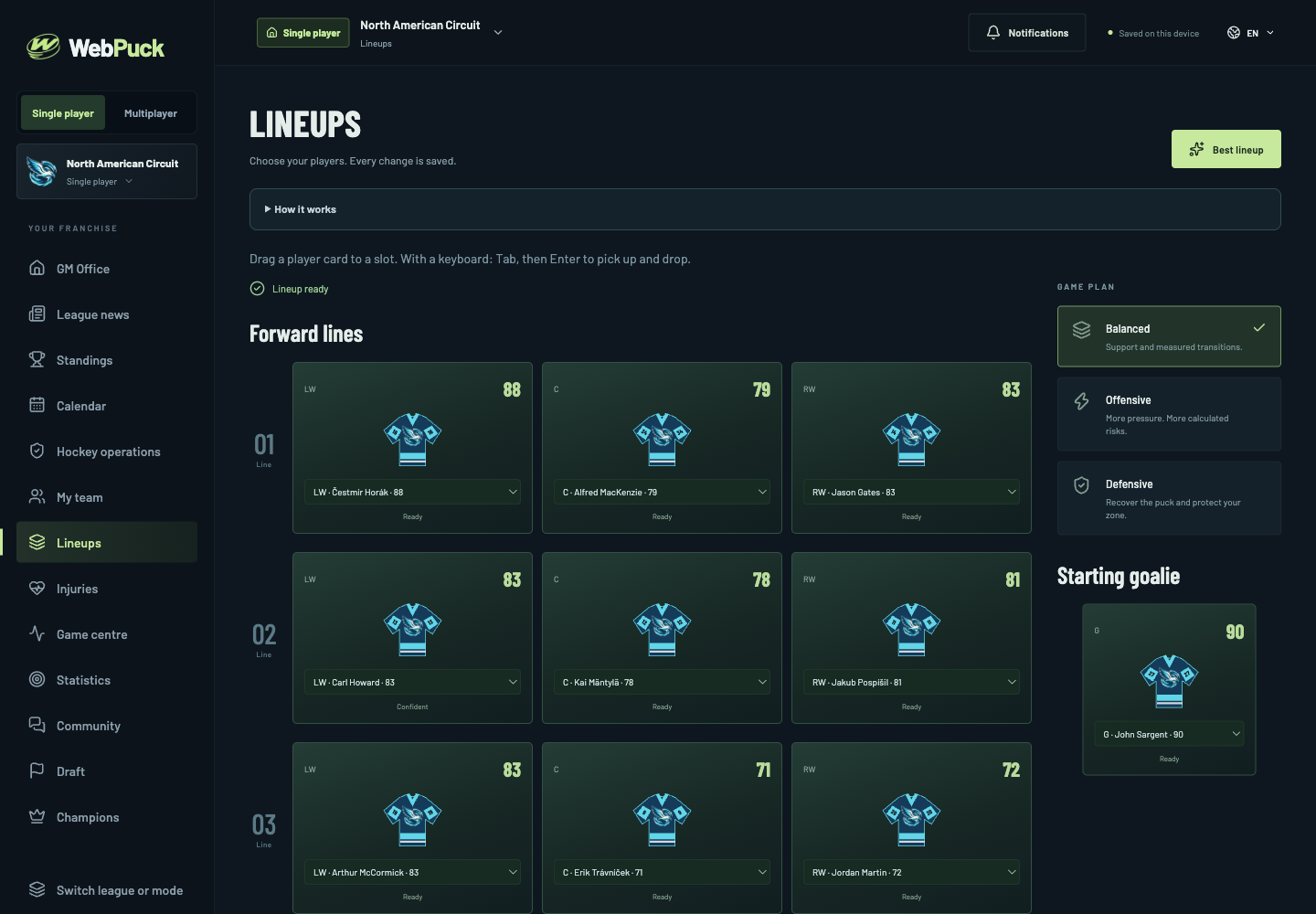
- Choose your lineup: check positions, availability and ratings before setting lines and a starting goalie.
- Review your roster: compare an internal lineup adjustment with a trade or free-agent signing, including the contract commitment.
- Plan beyond today: think about which roles you will need to fill before the next draft and season.
A solo franchise or a league with friends?
A solo career starts without an account. Pick a fictional North American or Québec club and play against CPU-managed teams. You control when the calendar advances, making solo a useful place to learn your first GM routine.
Online leagues add human GMs. Sign in by email, join or create a league and claim an available club. Game days follow the shared schedule at 6:30 p.m. Eastern time. Prepare your team beforehand and watch the completed match afterward.
Watch the result of your management decisions
WebPuck simulates the hockey, then shows a 2D replay. You manage the team rather than steering individual skaters. Pause the action, move along the timeline or jump to the next highlight to review a chance.
For example, after changing a forward line, watch a few of its shifts and look at the game statistics. One result does not prove a change was right; use several games to decide whether the combination deserves more time.
Is this EA NHL’s Be a GM mode?
No. EA has used “Be a GM” as a mode name in its NHL series. WebPuck is an independent hockey manager game with fictional teams and players, not an EA mode or an NHL-licensed game.
If you want to manage a specific real NHL roster, use our comparison pages to examine other games. If you want a browser franchise with original clubs, start a WebPuck solo career and try your first match.
Start your first hockey GM career
Open WebPuck, choose Single player, then New career. Select a circuit and your club, create the league and visit the lineup screen. The illustrated beginner guide walks through the first simulation and replay.
Solo progress stays in this browser on this device. Export a backup in Settings before clearing browser data or changing devices. Multiplayer sign-in does not automatically synchronize a solo save. Solo will always be free, with no contract, no commitment and no account required. Online leagues are free during the current alpha.
Sources and method
WebPuck describes its current alpha here. The EA source below documents the historical use of the mode name “Be a GM”; it is not an affiliation or a claim that the games have identical features.