
How a pool works
The person who creates the pool becomes its manager. Friends join with an invitation link or an 8-character code, up to 16 teams. The manager chooses the regular season or the playoffs, the scoring and the rules, then starts the draft.
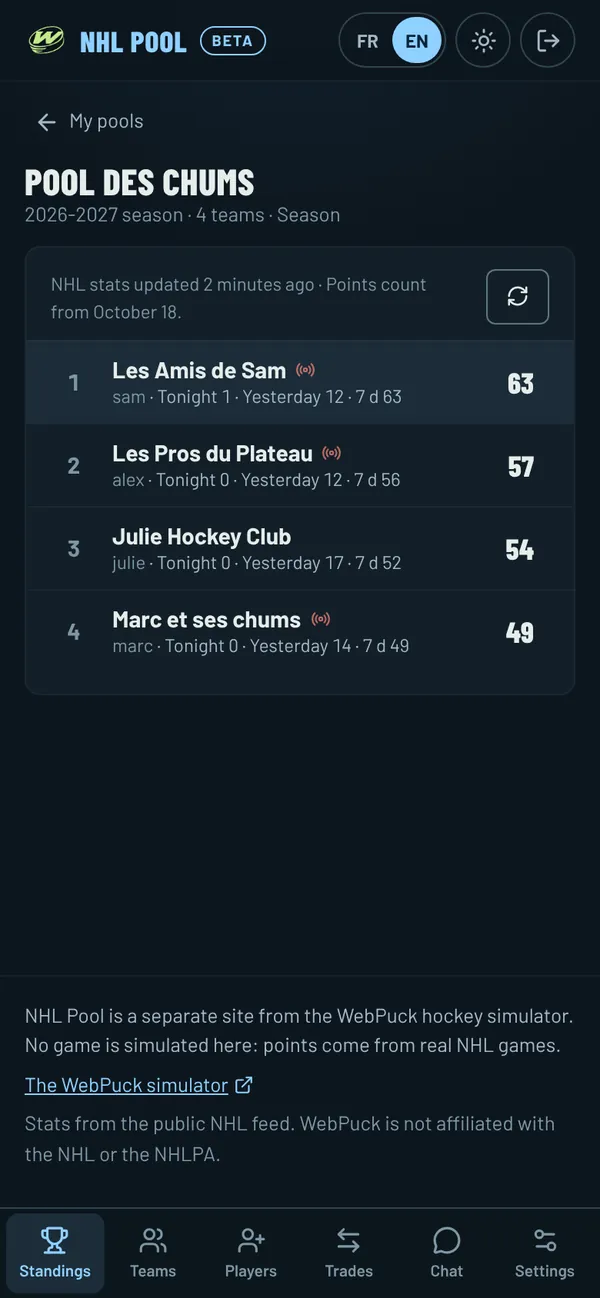
After the draft, the standings follow real NHL games every night. A player counts for a team only while he holds an active spot on it, so a trade or a lineup change never takes points back.
A snake draft that keeps moving
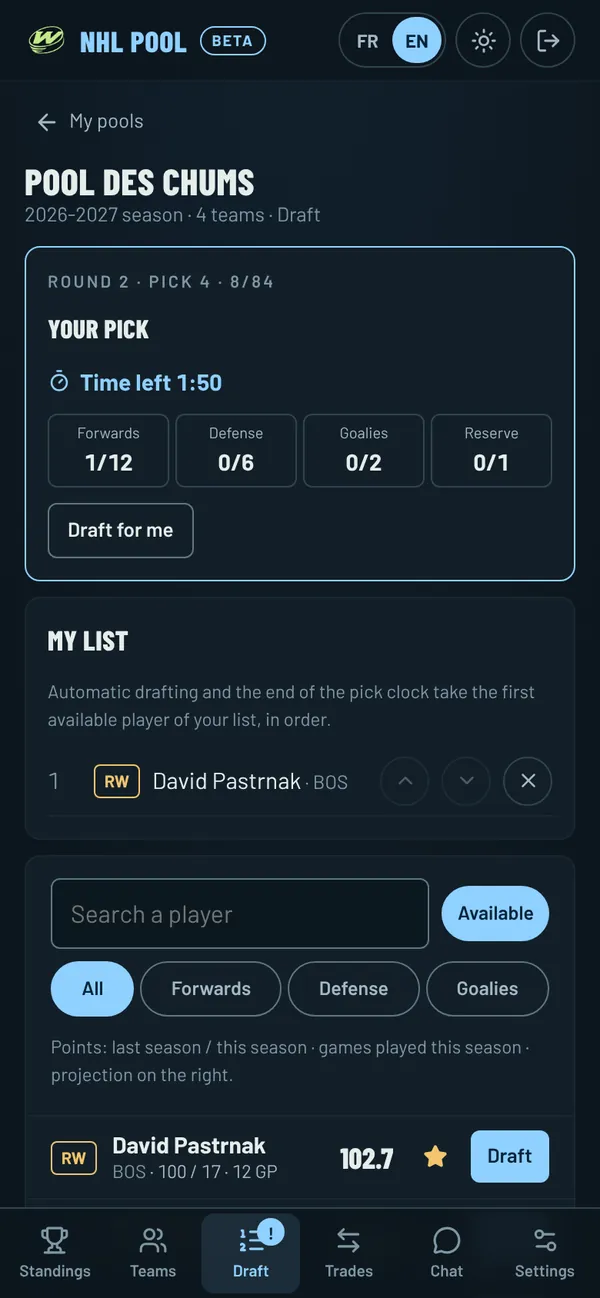
The first-round order is drawn at random, then it reverses every round. Each team drafts 12 forwards, 6 defensemen, 2 goalies and a reserve by default, and a player belongs to a single team in the pool.
- A time per pick set by the manager, from 1 minute to 24 hours, with a pause for the night.
- A private ranking list: when time runs out, the first available player of your list is picked.
- Draft for me, for managers who would rather let the list choose.
- An email when it is your turn, sent only after a couple of minutes on the clock.
Your scoring and your rules
The manager sets the points for each stat, from -10 to 10: goal, assist, plus/minus, penalty minute, shot, power-play goal, hit, blocked shot, win, loss, overtime loss, shutout, save and goal against.
The manager also chooses the roster size before the draft, the number of signings, the trade deadline and whether trades are approved by the manager or put to a vote of the other members.
During the season
- A Tonight page with your rank, your players in tonight’s NHL games and last night’s recap.
- Trades between friends, with the same number of players on each side, the impact on points and one-tap counteroffers.
- Free agents to sign within the limit set by the manager, releasing a player when the roster is full.
- A reserve to swap with an active player, and an injured list for players who missed their club’s last three games.
- Standings updated during games, places gained or lost since the last game night, the last seven days and points per week for each team.
- Weekly titles: the team of the week and the wooden spoon.
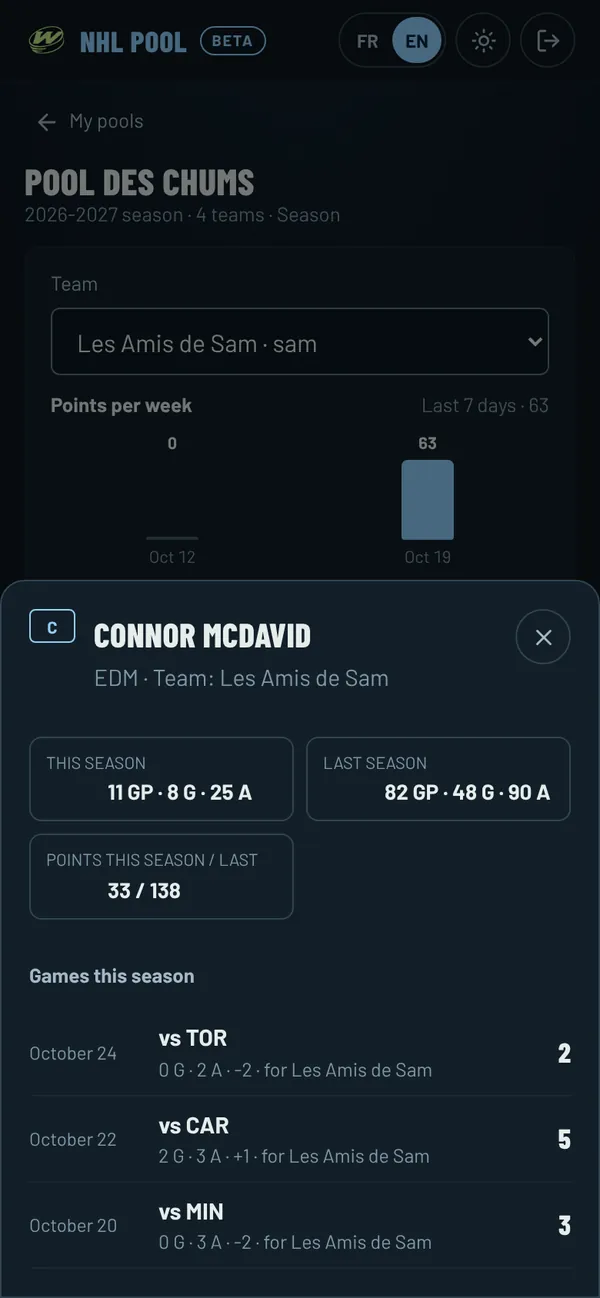
- A page for each player with his games this season and the pool team each game counted for.
A pooler guide for everyone
NHL Pool will also have a public Pooler’s Guide, updated every morning: every NHL player ranked for your pool by position and by format, with tiers and his move since yesterday, sleepers, risers and fallers, rookies, injuries and a page per team. Draft mode, a printable cheat sheet, a CSV export and a compare tool help on draft night. It will be open to every pooler, NHL Pool member or not, with no account.
Projections start from this season, the two before, each club’s schedule and the share of games played. On the 2025-2026 season, they were more accurate than simply following last season’s pace or the current pace.
Playoff pools and the next season
A playoff pool counts only playoff games, with a shorter roster and only the qualified clubs. When a season ends, the manager creates a new edition with the same members, team names and settings, and each team may keep a few players.
Made for a group of friends
NHL Pool is designed for phones first, in English and French. An invitation link brings friends in, emails and phone notifications announce your pick, trade offers and absent players, and the pool chat announces every pick, trade and signing, with emoji reactions to tease your buddies. Add it to your home screen to open it like an app. Sign in with the same free WebPuck account as the simulator.
Where NHL Pool stands
NHL Pool is on pool.webpuck.com, a site separate from the WebPuck simulator. It is in beta: features and rules can still change. Its public NHL section and pooler news are open without an account.
Player names, stats and careers come from the public NHL feeds, and club logos come from the NHL, served and cached by NHL Pool. Player photos only come from Wikimedia Commons under a free licence, with their credit. WebPuck is not affiliated with the NHL or the NHLPA.